Record real desktop workflows
Capture clicks, keys, movement, delays, and repeatable Windows actions into one workflow.
 Click Recorder Studio
Founder launch • First 1,000 users only
Record repetitive Windows actions, review them in a timeline, clean the steps, and replay your workflow with pause, continue, speed, repeat, and chain controls.
Manual activation during launch. Pay securely with PayPal, then email your Machine Code and payment reference to [email protected].
Five key benefits
Capture clicks, keys, movement, delays, and repeatable Windows actions into one workflow.
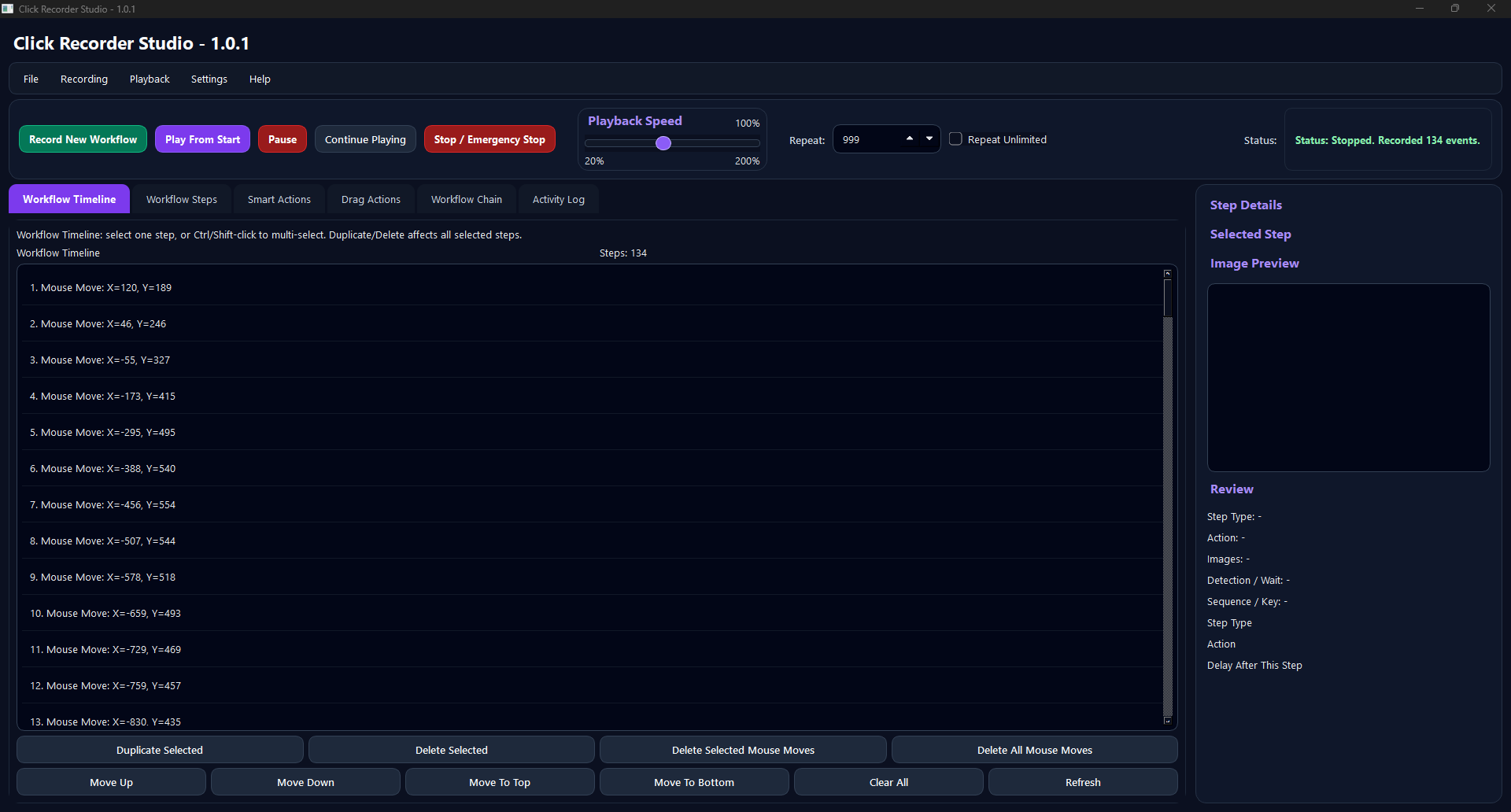
Review steps visually, select, move, duplicate, delete, clean mouse moves, and refine timing.
Play from start, pause, continue, stop, change speed, repeat, and resume from a selected step.
Wait for visual targets on screen and trigger actions when the right image/state appears.
Run multiple workflows in sequence with repeats for longer routines without rebuilding everything.
Free trial
Start with the free trial and test it on your own daily tasks. If Windows shows a security warning, choose to continue only if you downloaded it from our official link.
Install the trial, record a small workflow, and see if it saves you time.
Claim the launch offer
Only for the first 1,000 users. After that, the regular plan will be $4.99/month or $49.99/year.
After payment, send your Machine Code and PayPal email/order reference to [email protected]. Your activation code will be sent after verification.
No. During launch, activation is handled manually after PayPal verification.
Click Recorder Studio may request Administrator permission so it can reliably record and replay actions in apps that also run with elevated permissions.
Current local builds store workflows, captures, settings, and logs locally on your PC.
No. It is for lawful desktop productivity and repetitive workflow automation. Do not use it to violate any app, game, platform, or service terms.